From a risk flag to a treated patient, with a name on every step.
Phase 1 found the patients. Phase 2 treats them.
The risk engine reads every new lab report and sorts each member into one of five tiers. That work ended with a ranked list. The Care dashboard starts where the list stops.
Risk-Stratification Dashboard
AI reads the record, a clinician checks the call, and every verdict is on file.
Care dashboard
Every flagged patient becomes a case that someone owns until it closes.
- A case is createdWith its own ID, the moment the flag lands.
- Two owners are assignedA doctor and a care coordinator, automatically.
- The doctor callsWithin 24 hours of the flag.
- An action is setWith a follow-up date the coordinator tracks.
- The case closesWith one of four recorded reasons.
Knowing who was at risk did not get anyone treated.
After Phase 1, the team could see which patients were in danger. What happened next lived in phone calls, chat messages and spreadsheets outside the product.
No owner
A flagged patient belonged to nobody in particular. There was no way to run each one as a tracked case with a person responsible for it.
No record
Doctors called patients without an appointment, so the call, the advice and the prescription had nothing to attach to. Someone had to create that paperwork afterwards.
No finish line
Nobody could say whether the test was done, the medicine was started or the hospital visit happened. A case had no defined end.
The first day of a case.
Nothing here waits for someone to notice. The case, the consent check and the assignment all happen without a person starting them.
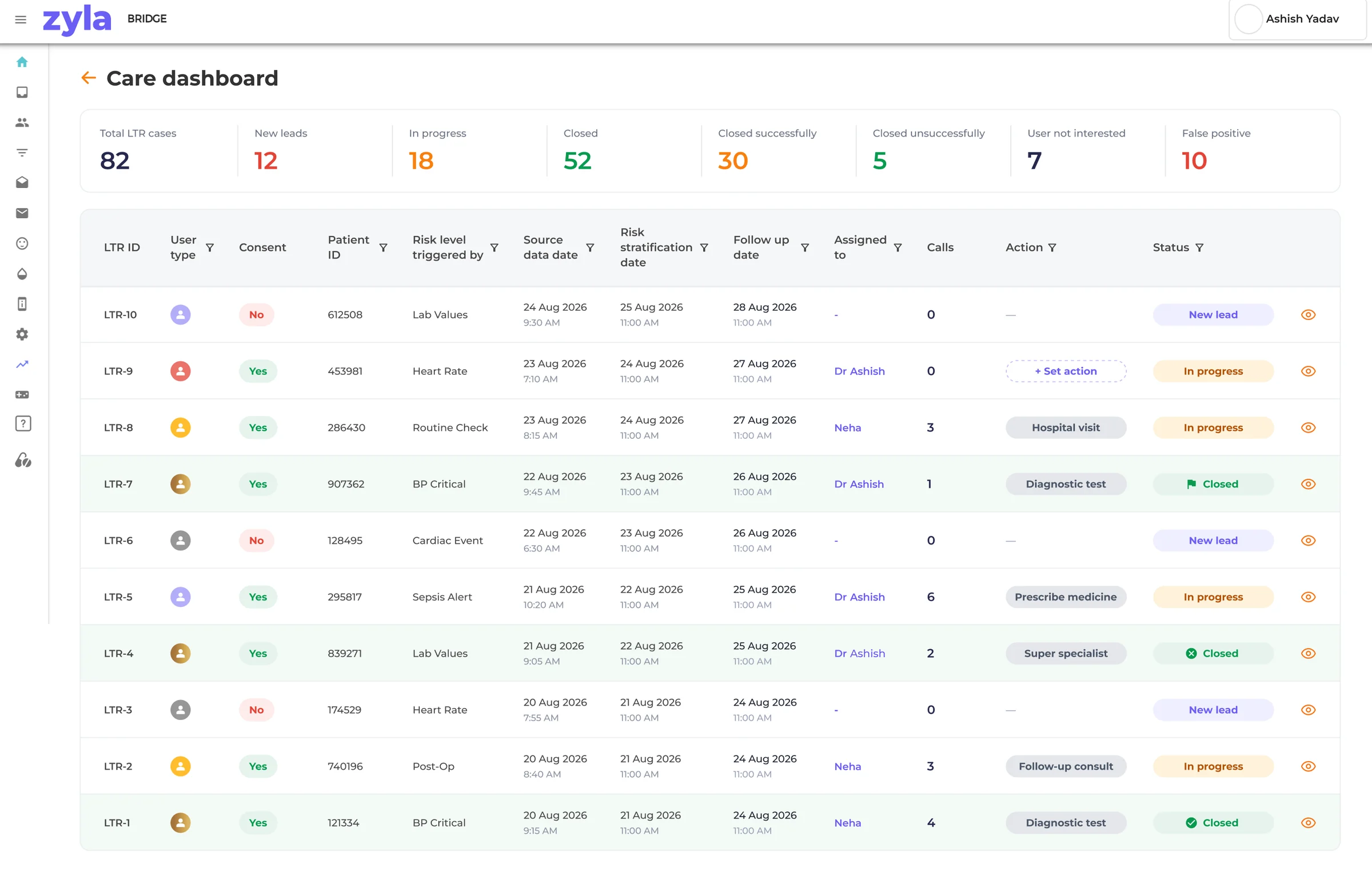
A queue that says who needs a call today.
The newest cases sit on top. One row answers the questions a care team asks every morning: has the patient agreed, who has the case, how many times have we called, and what happens next. (The queue is at the top of this page.)
A case without consent stays a New lead with nobody assigned. Care starts only after the patient says yes.
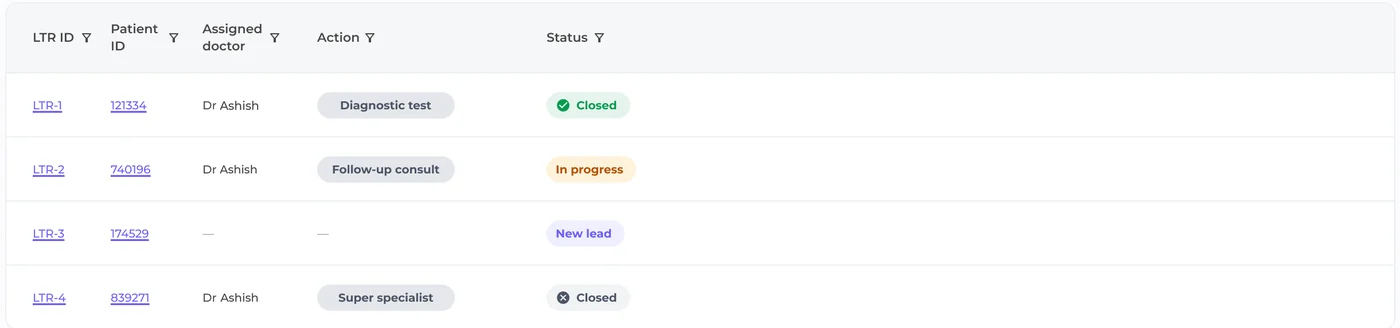
New lead, In progress and Closed. The reason a case closed is a small mark inside the Closed pill, so the column stays one word wide.
Closed splits into four counts. The team reads results from the same screen they work in.
One page that holds the whole case.
Opening a row shows the patient, the two people responsible, how many days the case has been open and every call made so far. The AI risk summary from Phase 1 sits on the same page, so the doctor reads the reason for the flag before dialling.
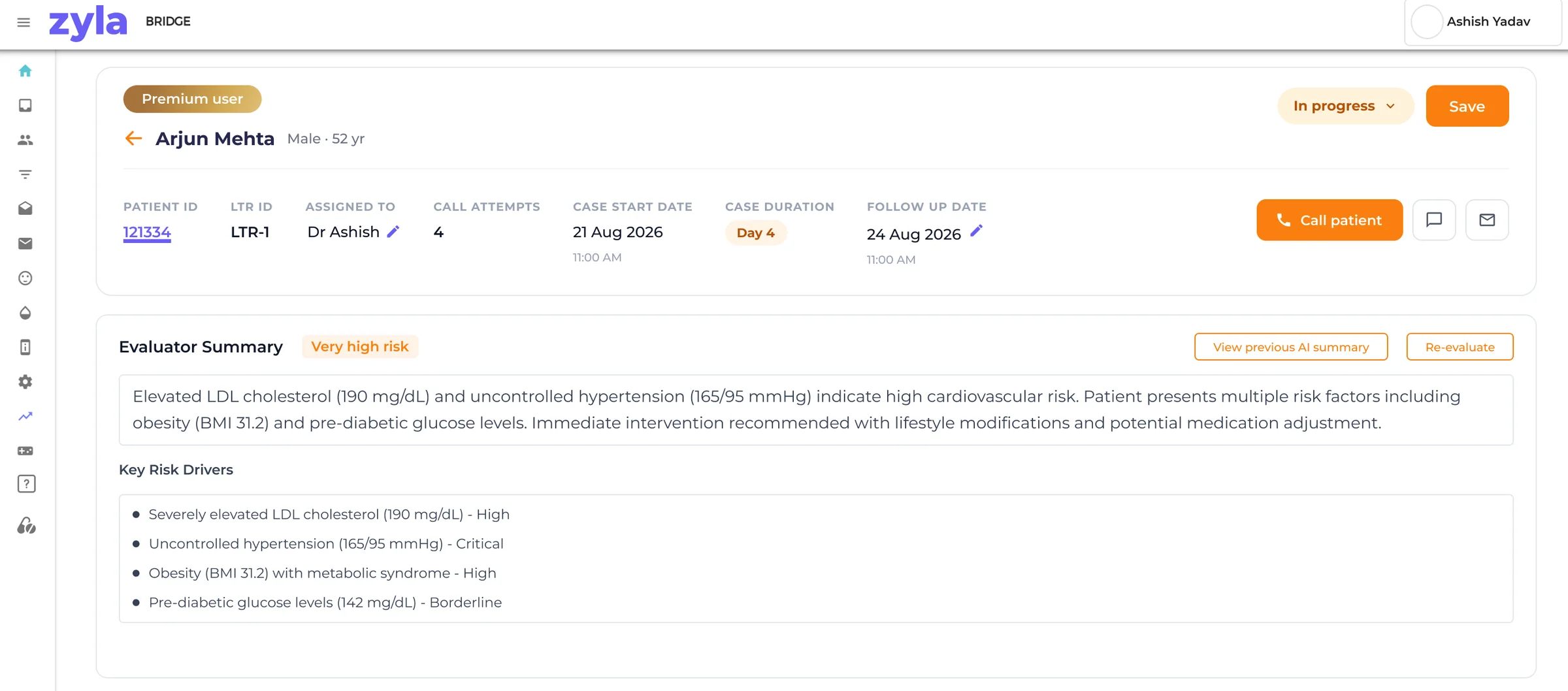
"Day 4" tells the team how long a patient has waited without anyone doing the maths.
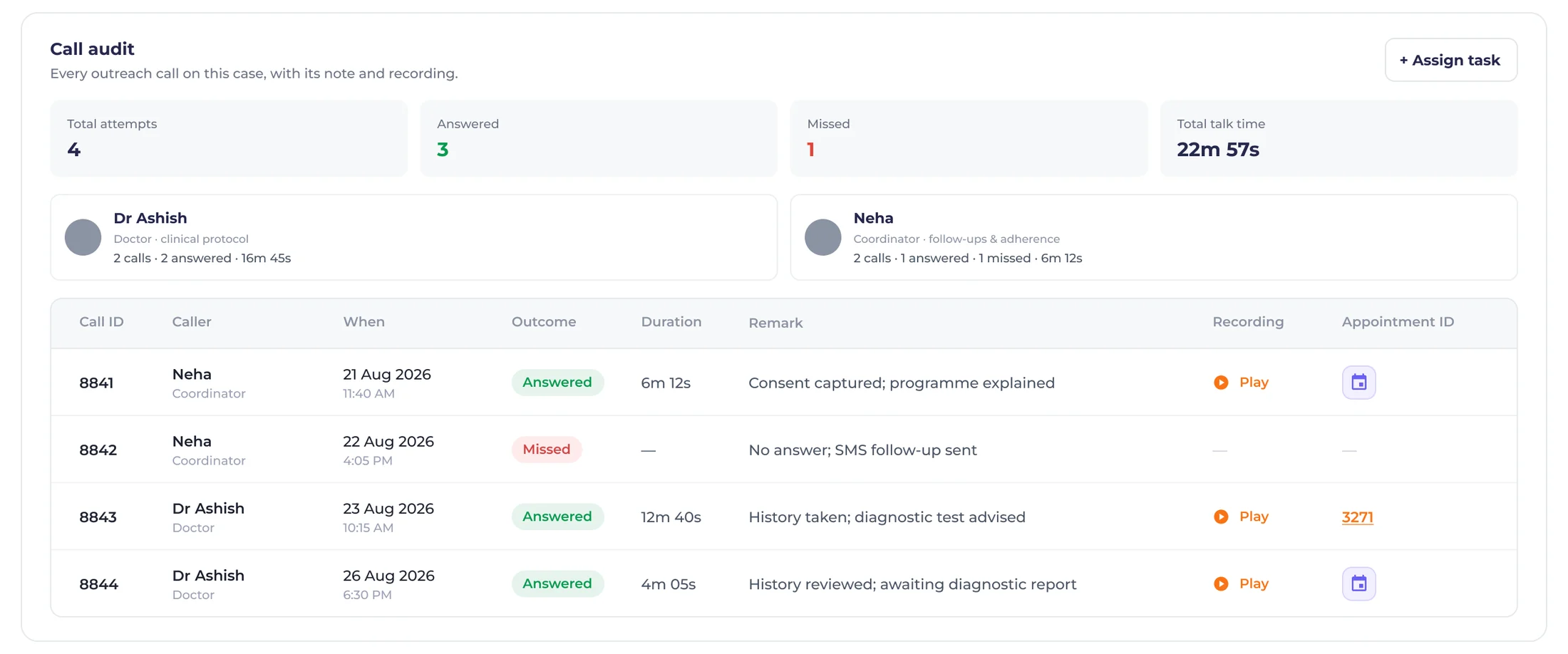
The doctor handles the clinical call. The coordinator chases the follow-ups. Each one's calls are counted separately.
An unanswered call is still an attempt. It shows in the audit, so "we tried" is a number and not a claim.
Four steps the doctor must finish, in order.
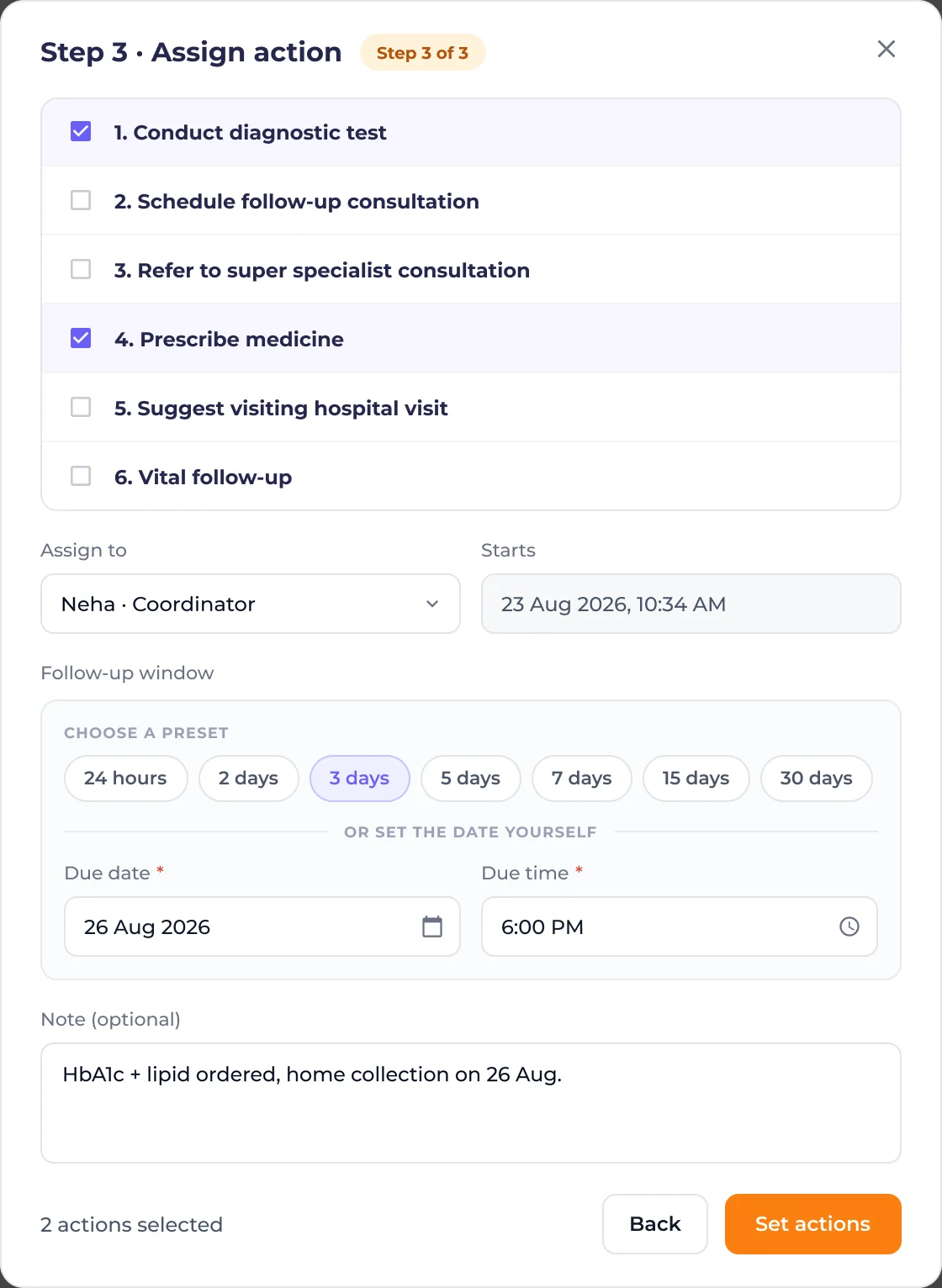
This is the centre of the design. A call on its own leaves no trace, so the page asks for four things: an appointment, a prescription, an action and a follow-up date. They unlock one at a time. Try it: press the orange button on the call pill or on a step card.
Required action 0 of 4 done
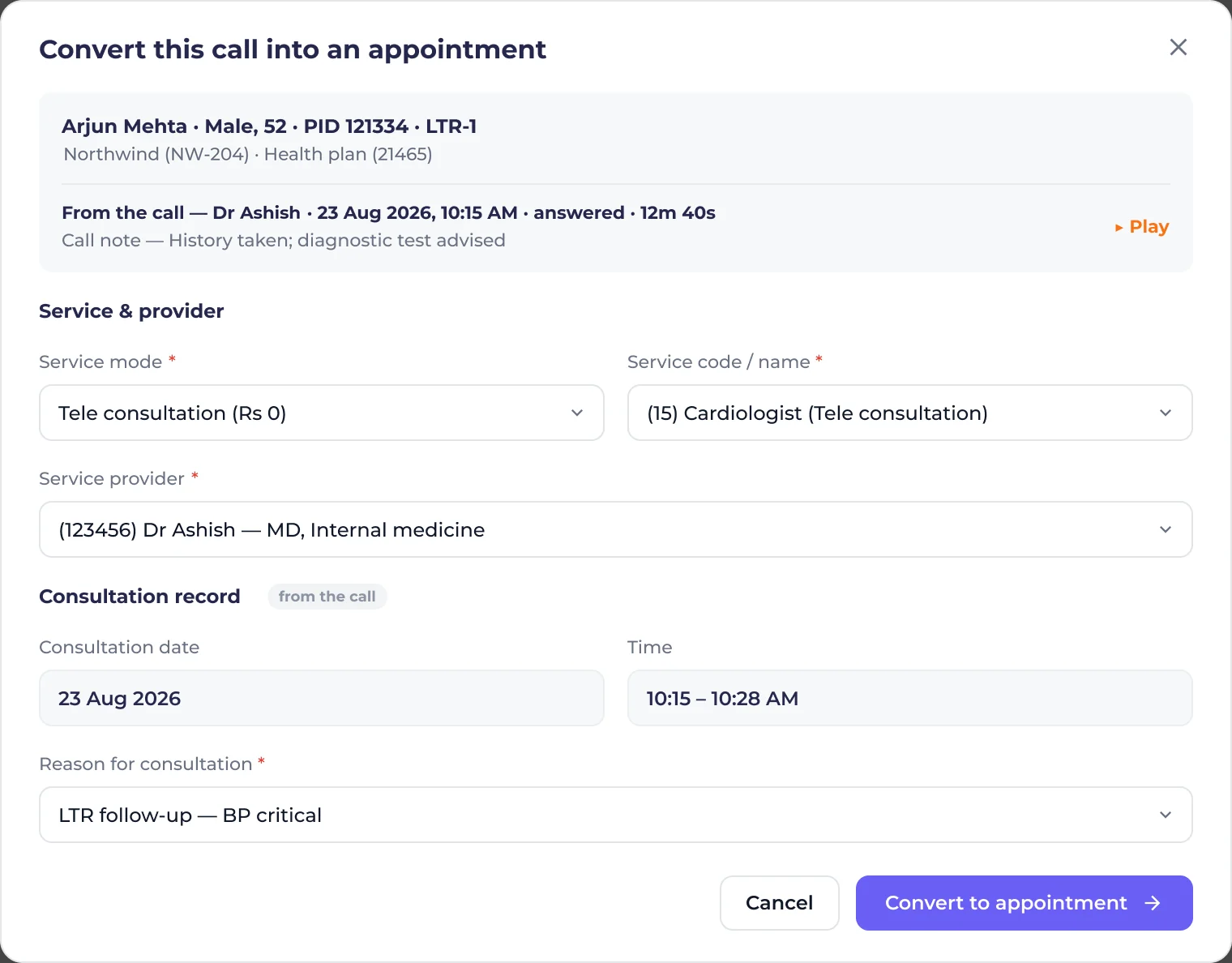
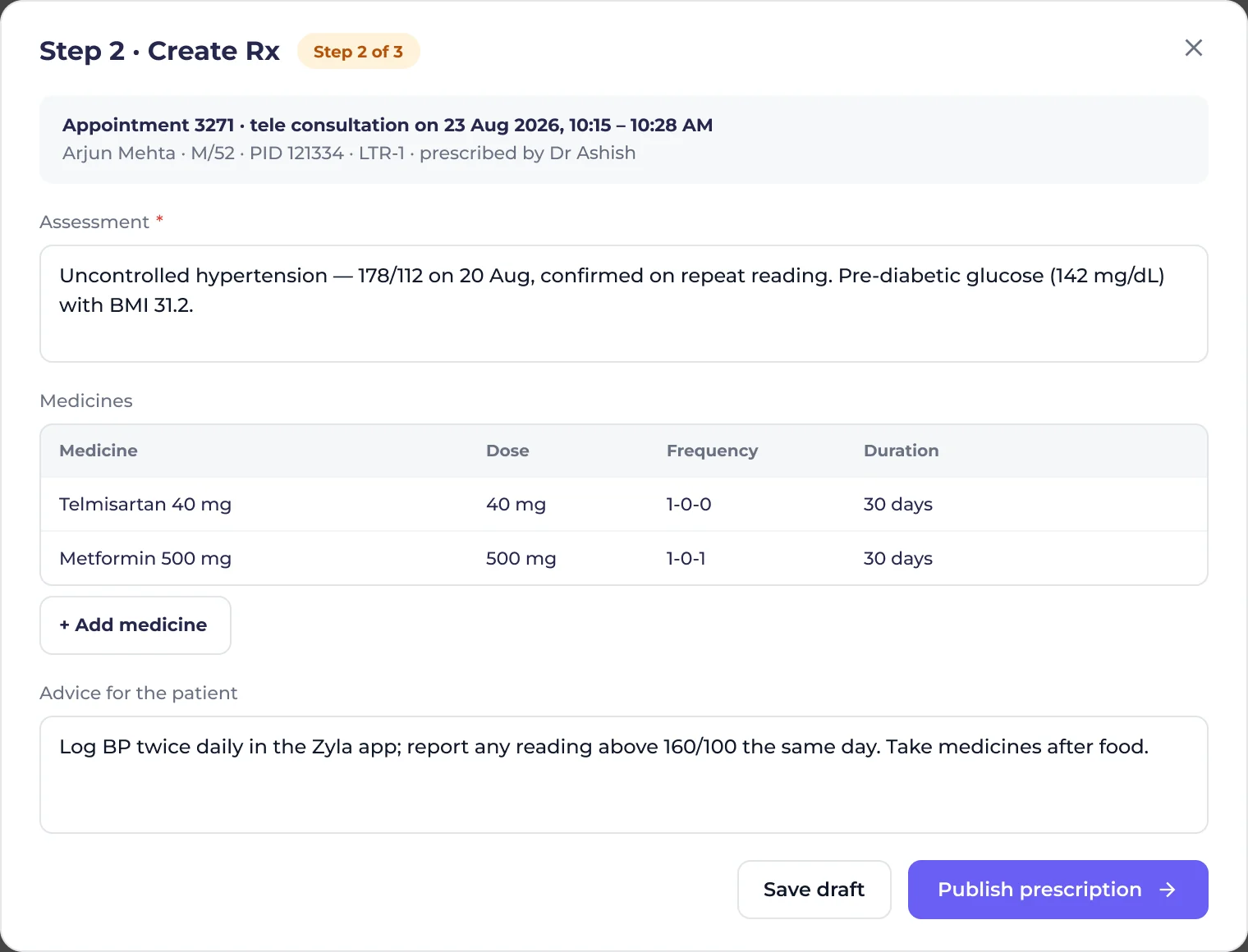
The doctor has already made the call. One press turns it into an appointment, filled in from the call.
The Rx is written against that appointment, so the advice is tied to a visit and to the case.
The doctor picks one or more of six actions and hands the chasing to the coordinator.
A preset window or a date. It can be moved later, and every change is logged.
A case closes with a reason.
Close case stays locked until every step is done. Then the doctor picks one of four reasons, and the reason feeds the counts at the top of the queue.
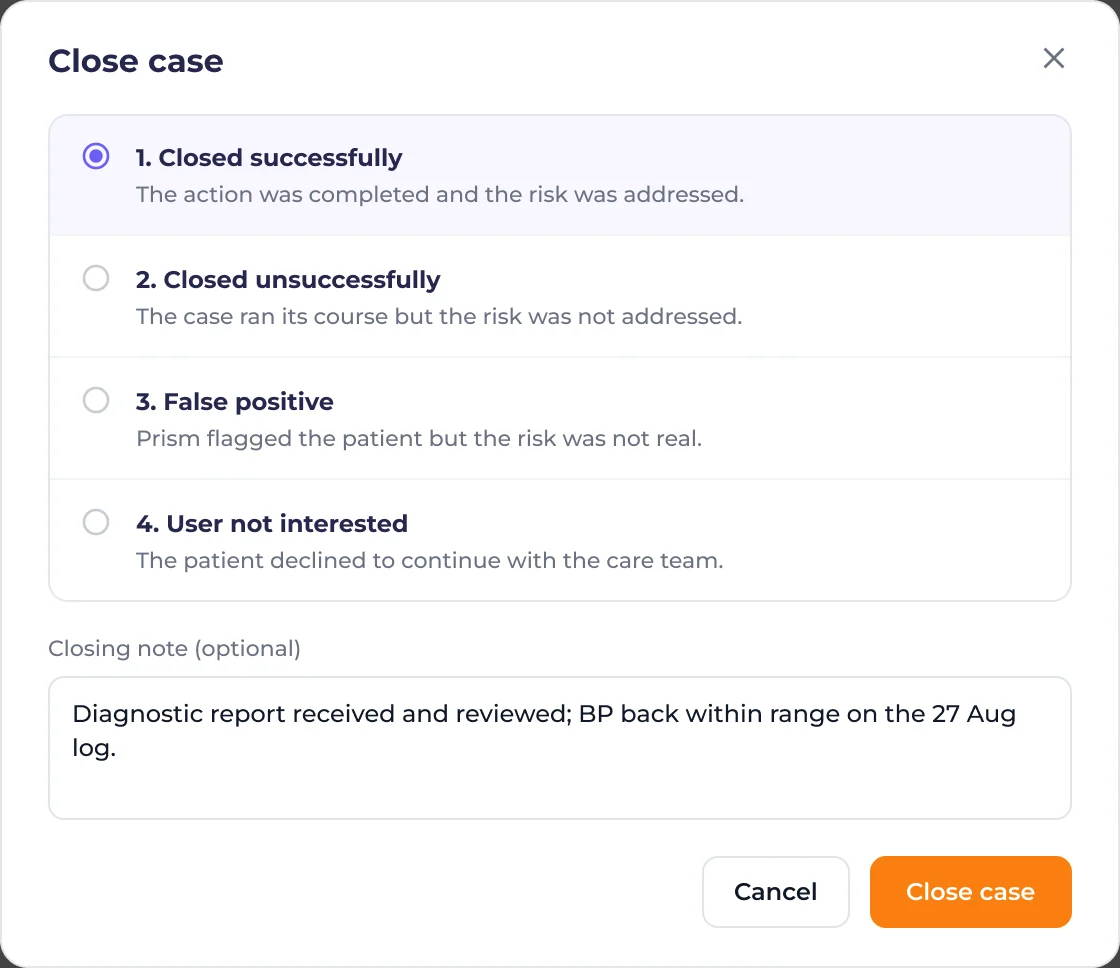
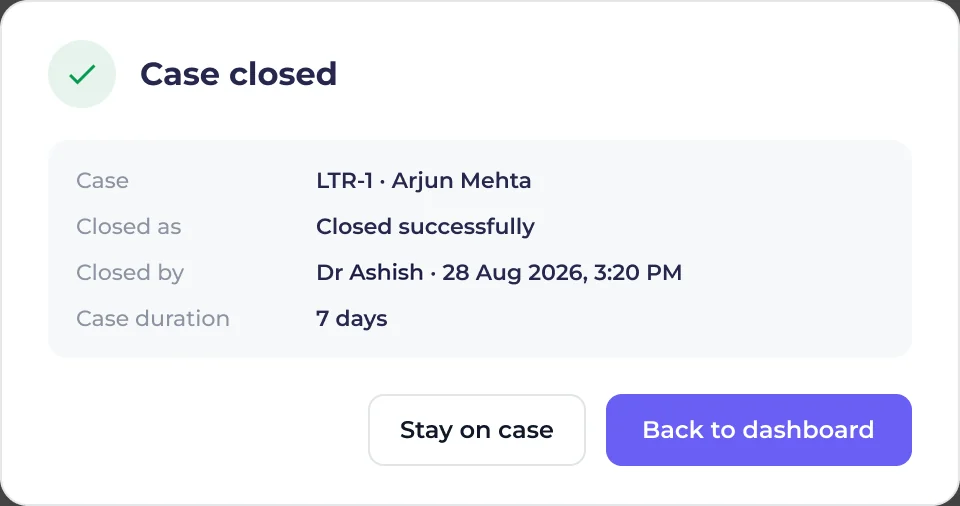
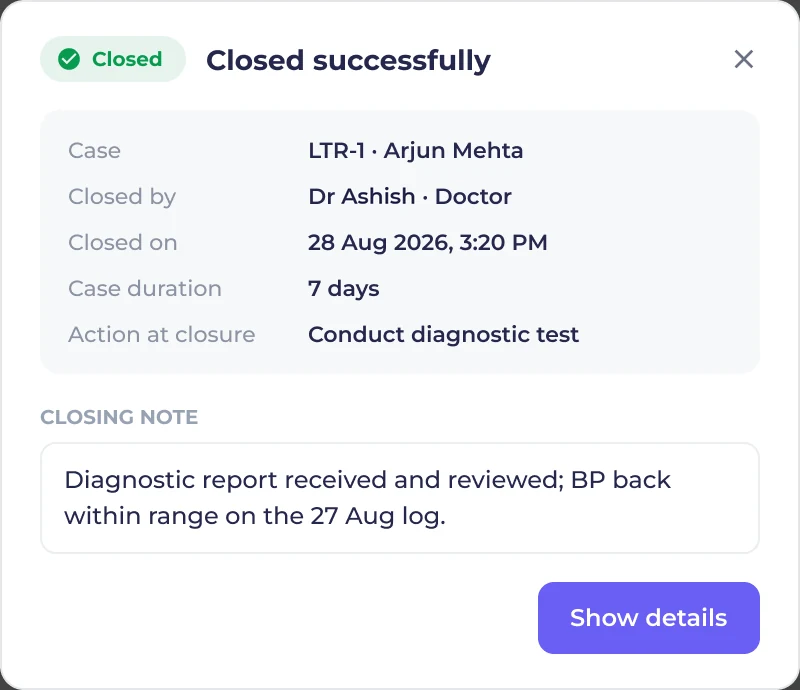
Closed successfully, Closed unsuccessfully, False positive, or User not interested. A fixed list keeps the counts honest.
When a doctor says the risk was not real, the risk engine gets a correction from the person who spoke to the patient.
Three months, with a nutrition call every month and one doctor call.
What I tried before choosing.
Each of these went through several versions on the canvas. These are the options from my design file, with the one that won.
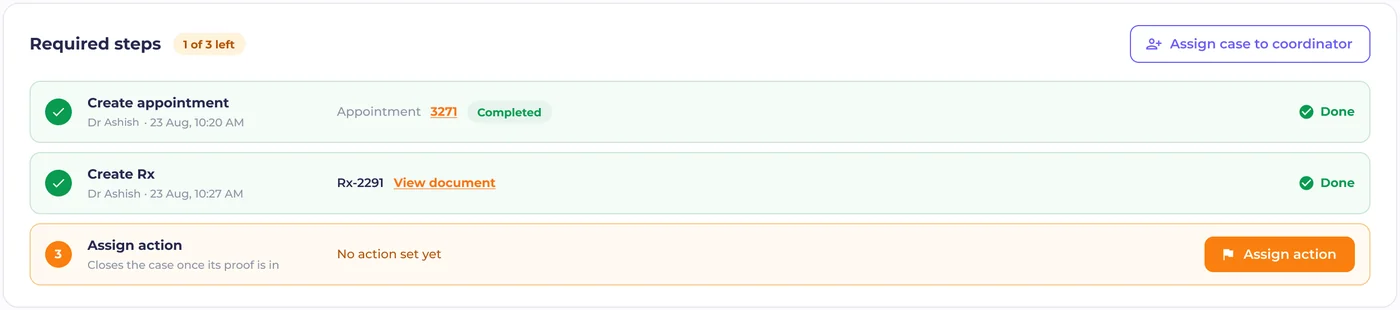
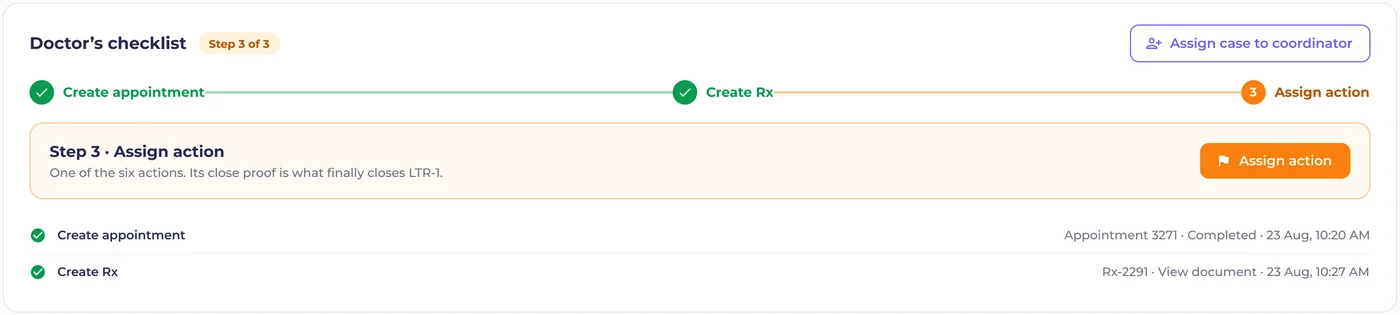
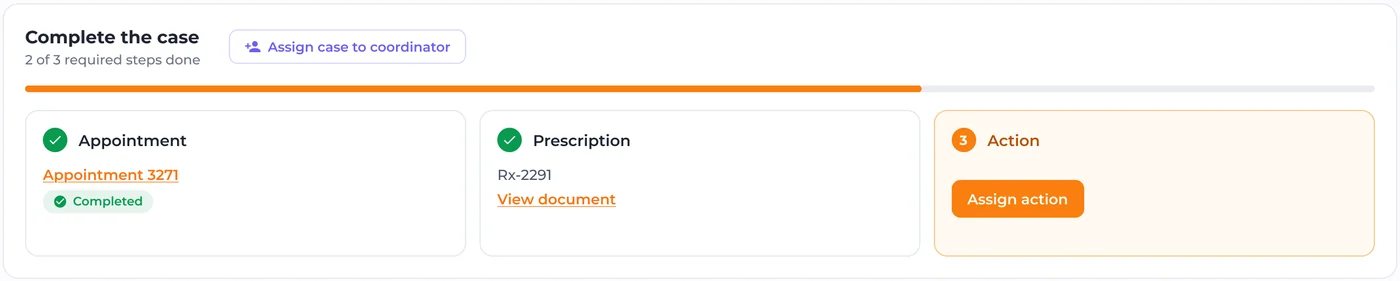
The first label was "Post-call workflow". It said when the work happens, not what it is. The section had to read as an obligation and still make sense with one step left or four.
Same content in four layouts. The test was whether a doctor could see what is owed right now without reading anything else. C won and became the step cards in the final design: each step keeps its own result.

During a call the doctor is reading the record, not the action section. The steps had to follow them down the page without covering it. D won: only the next step has a label, so the pill never grows.
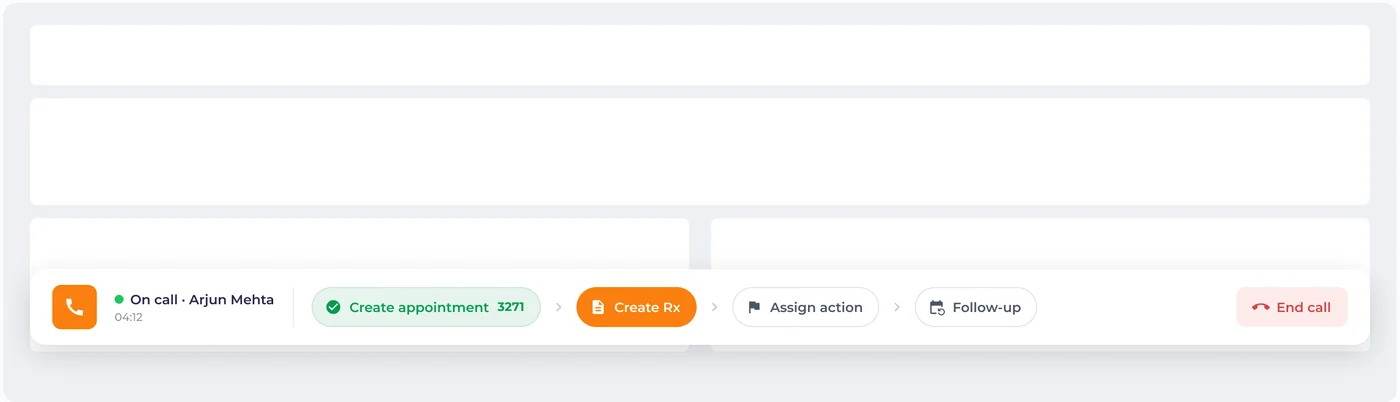
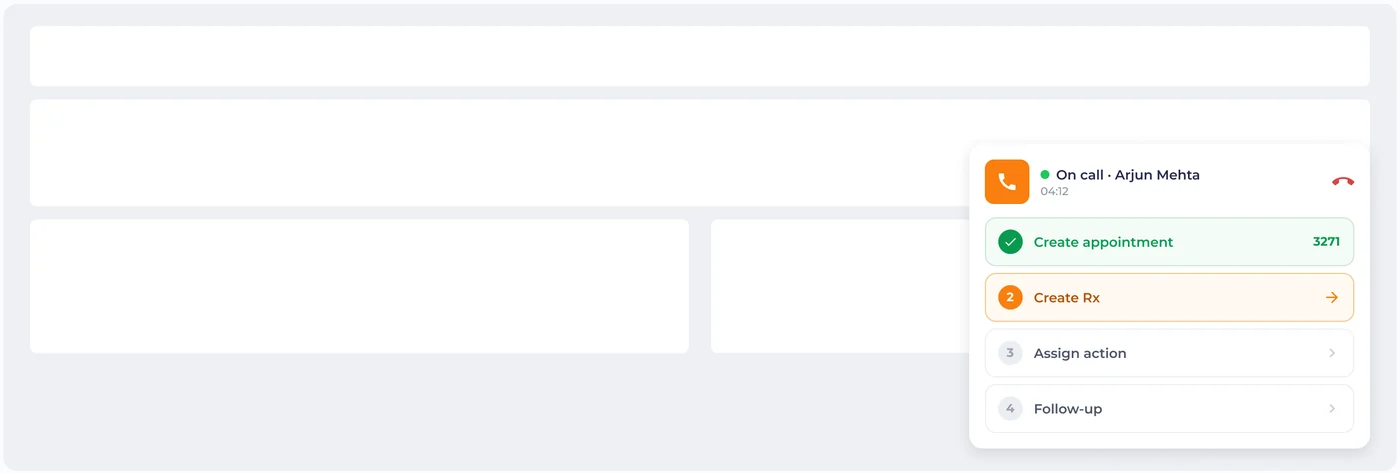
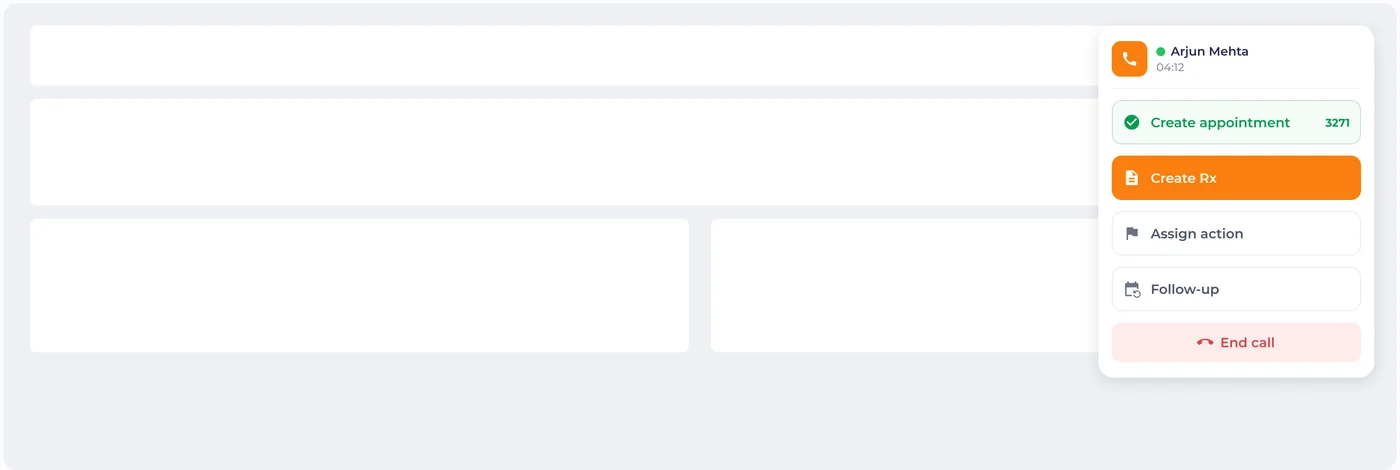
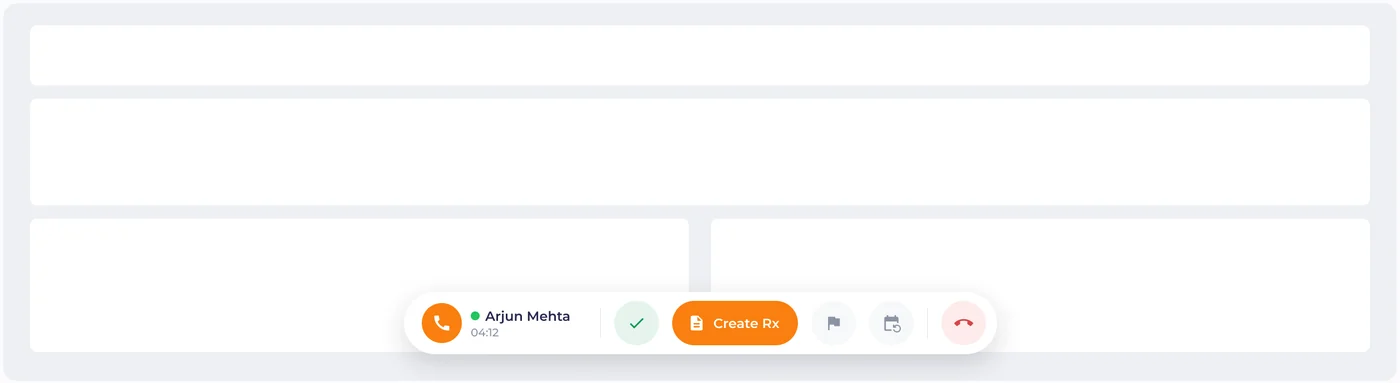
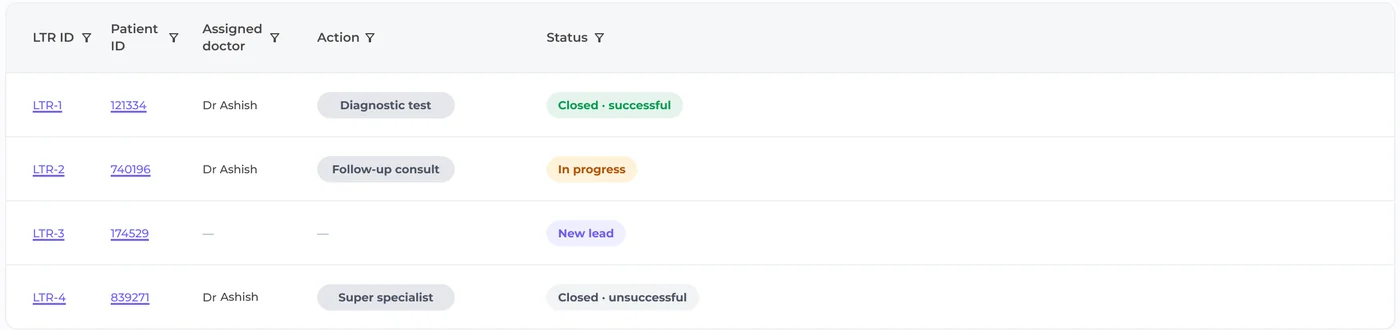
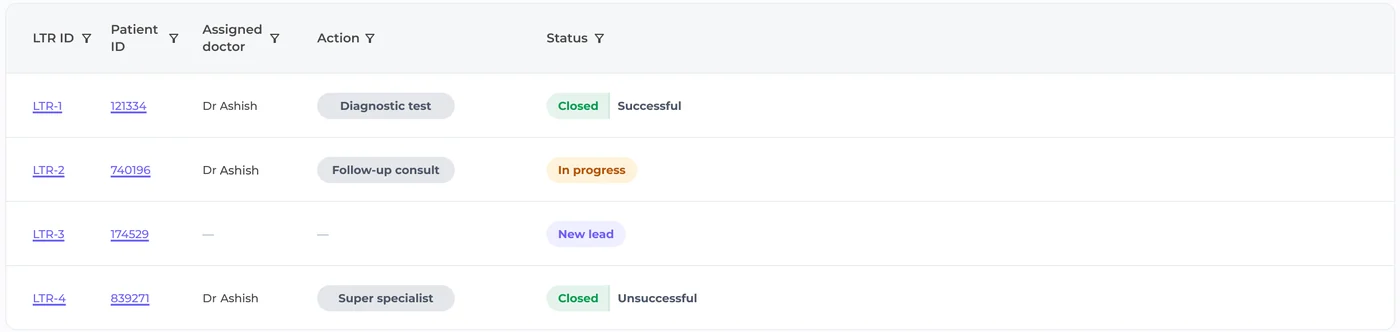
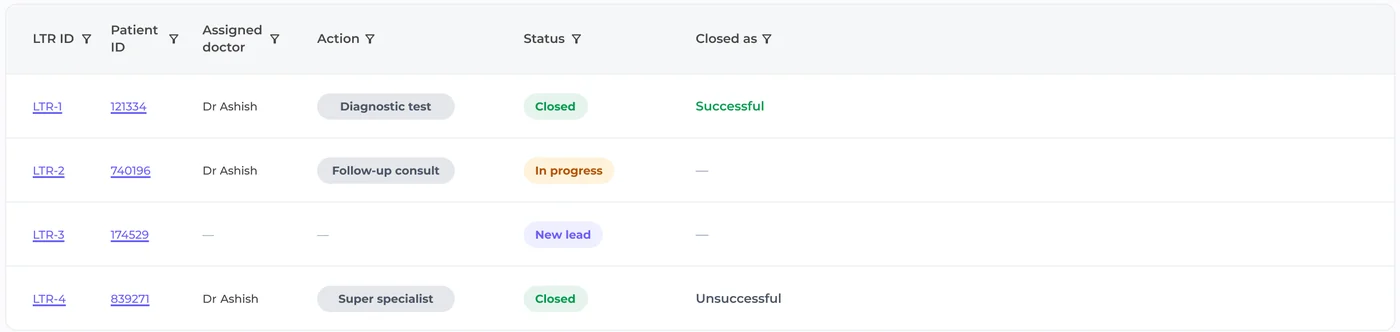
Four reasons had to fit a table that was already wide. D won: one pill, one word, and a small mark for the reason. The full reason opens on hover and on the case page.
Everyone who touches a case was in the loop.
Keeping the teams aligned was part of my job on this project, alongside the design. I spoke to each group that would use, support or build the dashboard, and took the design back to them before handoff.
Care management
The doctors and coordinators who work the queue, make the calls and close the cases.
Customer support
The team patients reach when they have a question about their care.
Key account managers
The team that looks after each client account and the care plans it has bought.
Business stakeholders
The people who set the requirements behind each case.
Engineering
Received every screen, state and popup in one annotated file, in build order.
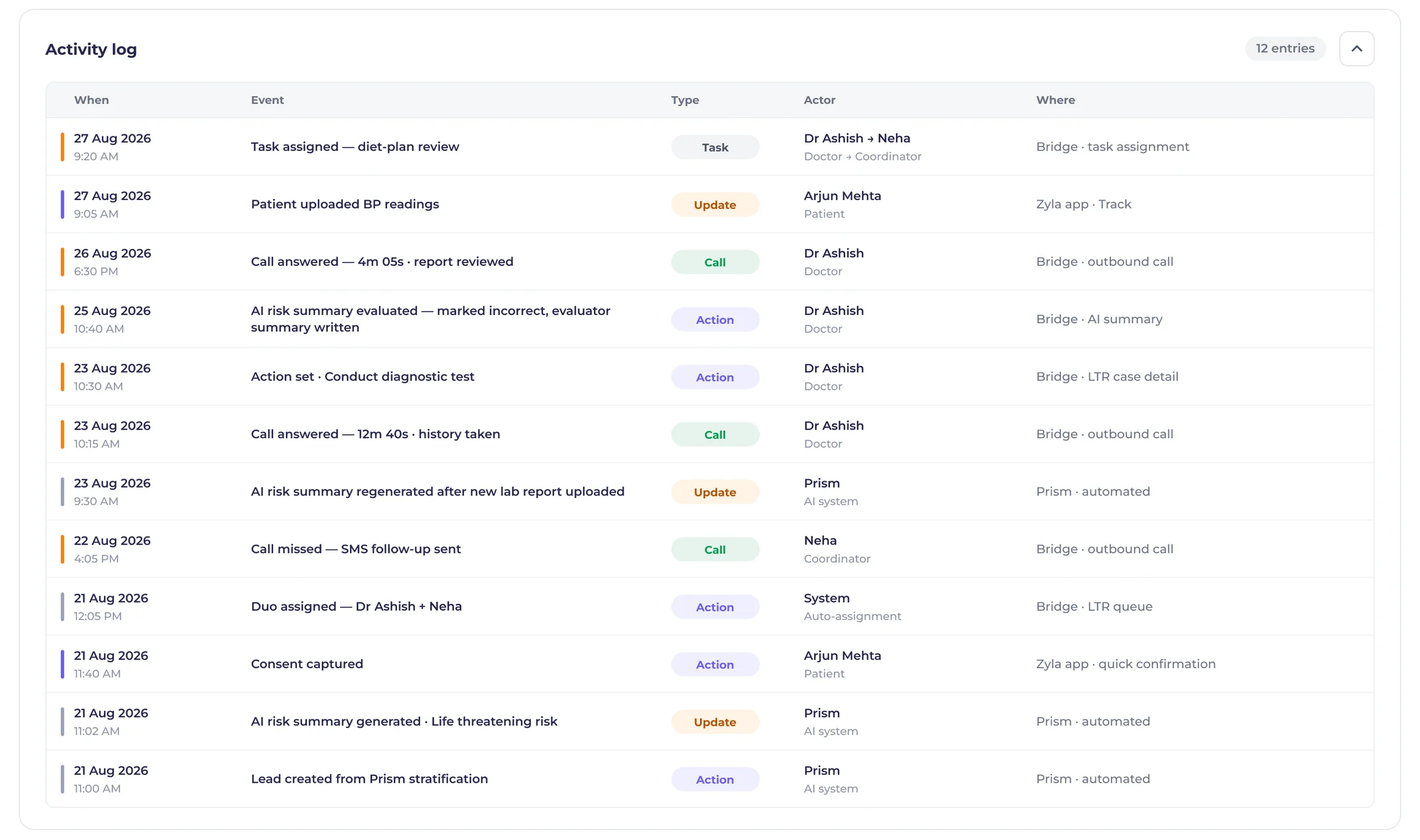
Every event has a time, a person and a place.
Calls, actions, AI updates and tasks land in one log on the case page, newest first.
Where it stands.
Phase 1 covers the queue, the case page in every state, the AI summary and its evaluation, the four required steps, closing a case, and the in-call pill. I designed it end to end and handed it to engineering, with care management, customer support, key account managers and the business stakeholders reviewing it along the way.
What the dashboard measures once it runs: time from flag to first call, how many cases close successfully, and how many flags turn out to be false positives.
What comes after this release.
More doctors, even load
Add doctors without a release, and spread new cases evenly across everyone on the rota.
Chat and e-mail from the case
Both are marked "coming soon" in Phase 1. A patient who misses a call should get a message from the same page.
More than one action per case
Show several open actions in one queue cell without losing which one is due first.
A visible 24-hour clock
Put the time left on each new case in the queue, and escalate before the window closes.