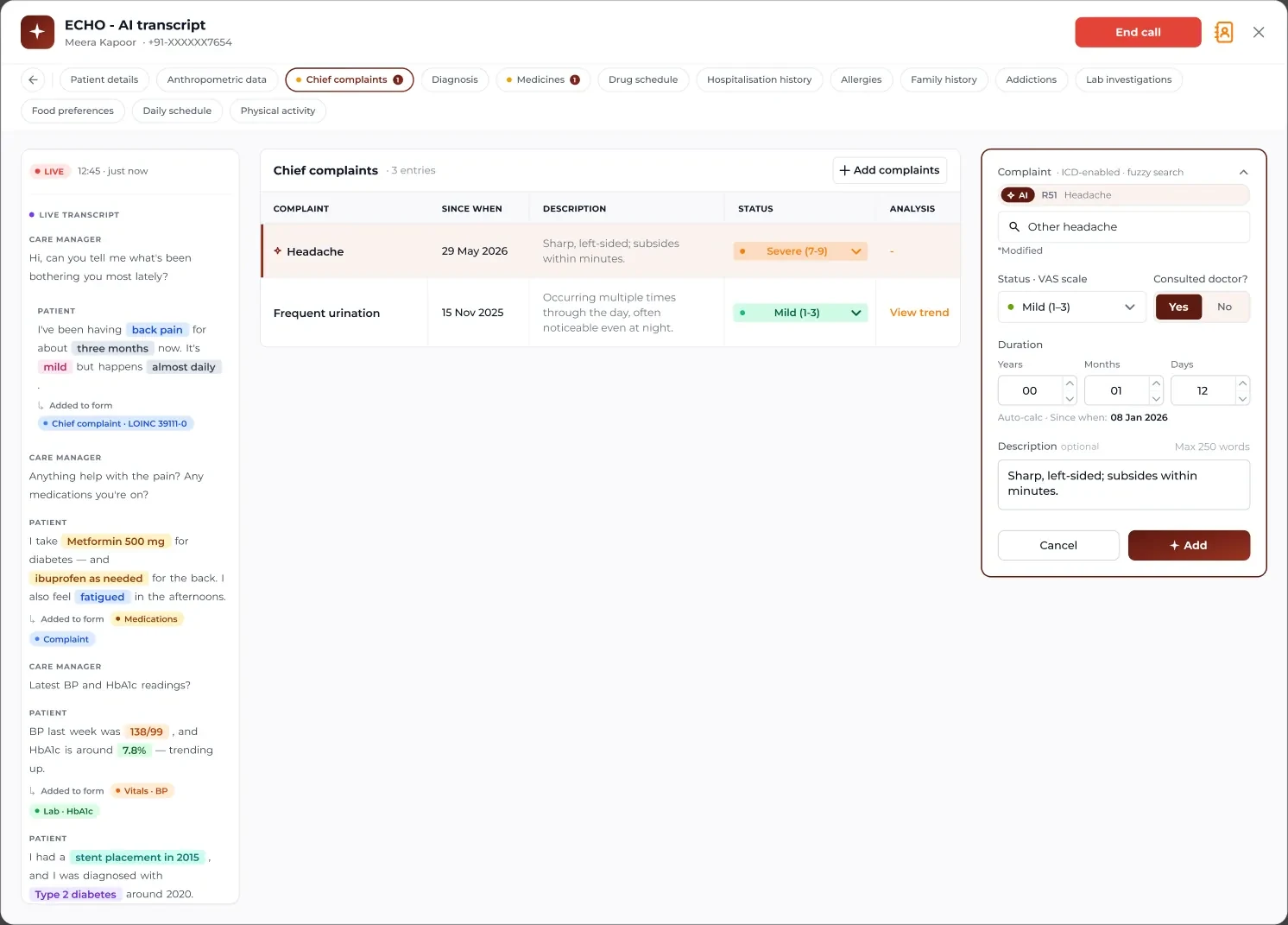
Less typing during the call, more checking after it.
Every consultation ended with about 15 minutes of typing.
Complaints, diagnoses, medicines, lab values and advice all had to be entered by hand, after the patient had already said them out loud on the call. The prescription was then assembled from those entries.
The catch: an AI that fills a medical record can be wrong in ways that matter. So the rule I designed around was simple. The AI drafts, a person decides, and it is always obvious which is which.
Listen: the transcript shows what it understood.
During the call the transcript runs live. Anything ECHO recognises is highlighted, and a small "Added to form" tag underneath says which part of the record it went to.
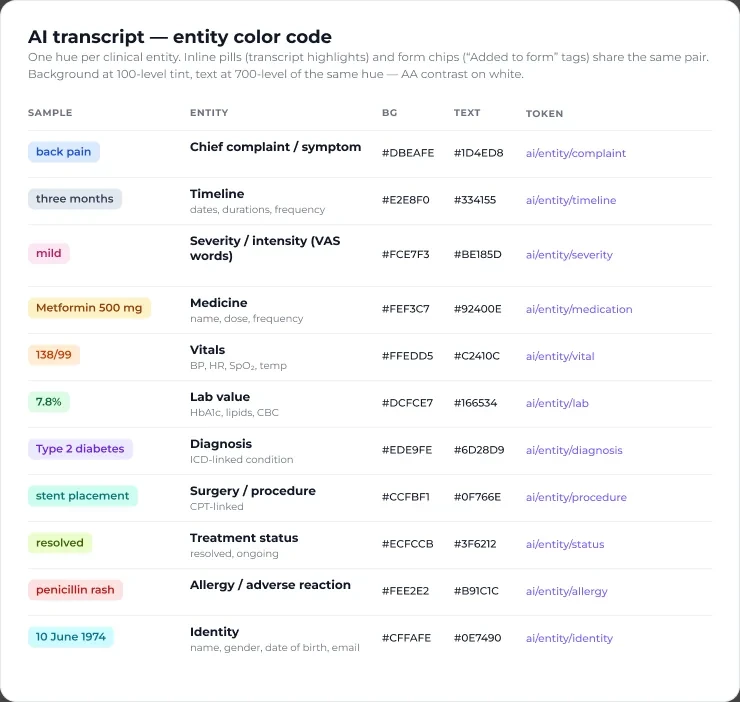
A complaint is blue, a medicine is amber, a lab value is green. The highlight in the transcript and the tag on the form use the same pair, so the eye can follow a detail from speech to record.
An entry ECHO added carries a spark and a tinted row. It looks different from one a person typed until someone has confirmed it.
Selecting a row opens it in the editor on the right, with the AI's original value kept on top and the change labelled "Modified".
Check: review only what this call added.
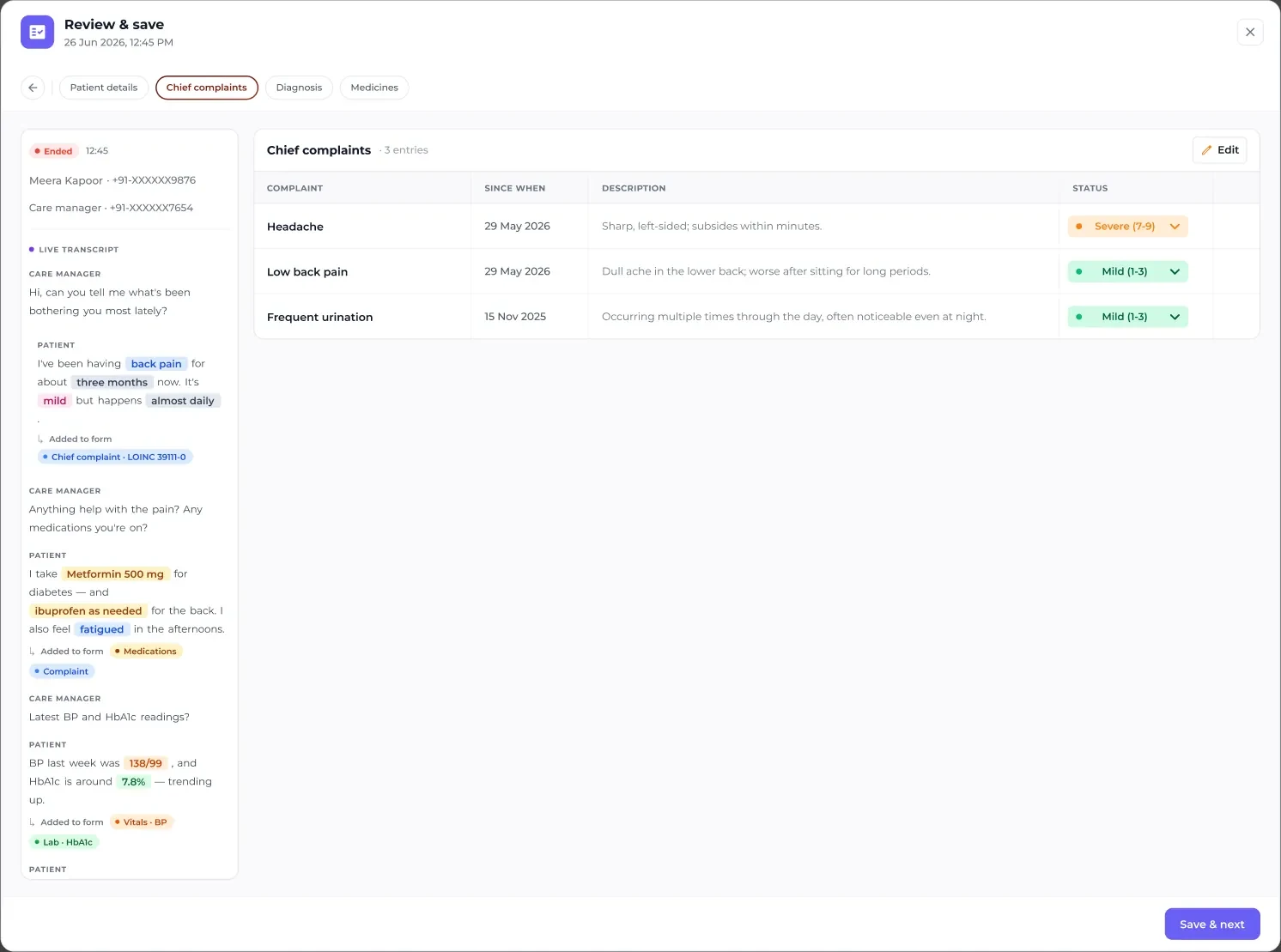
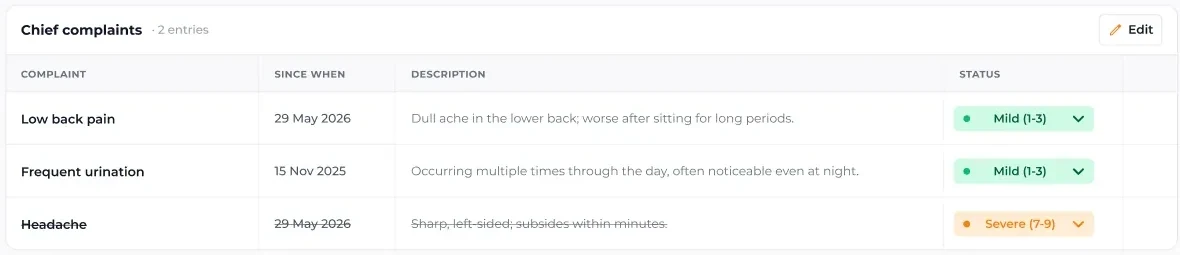
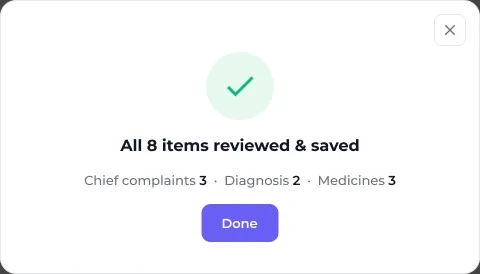
When the call ends, ECHO goes through the record one section at a time and shows only the entries from this call. Each one can be kept, edited or rejected, and the last screen confirms the count.

Prescribe: an editor that knows how medicines are taken.
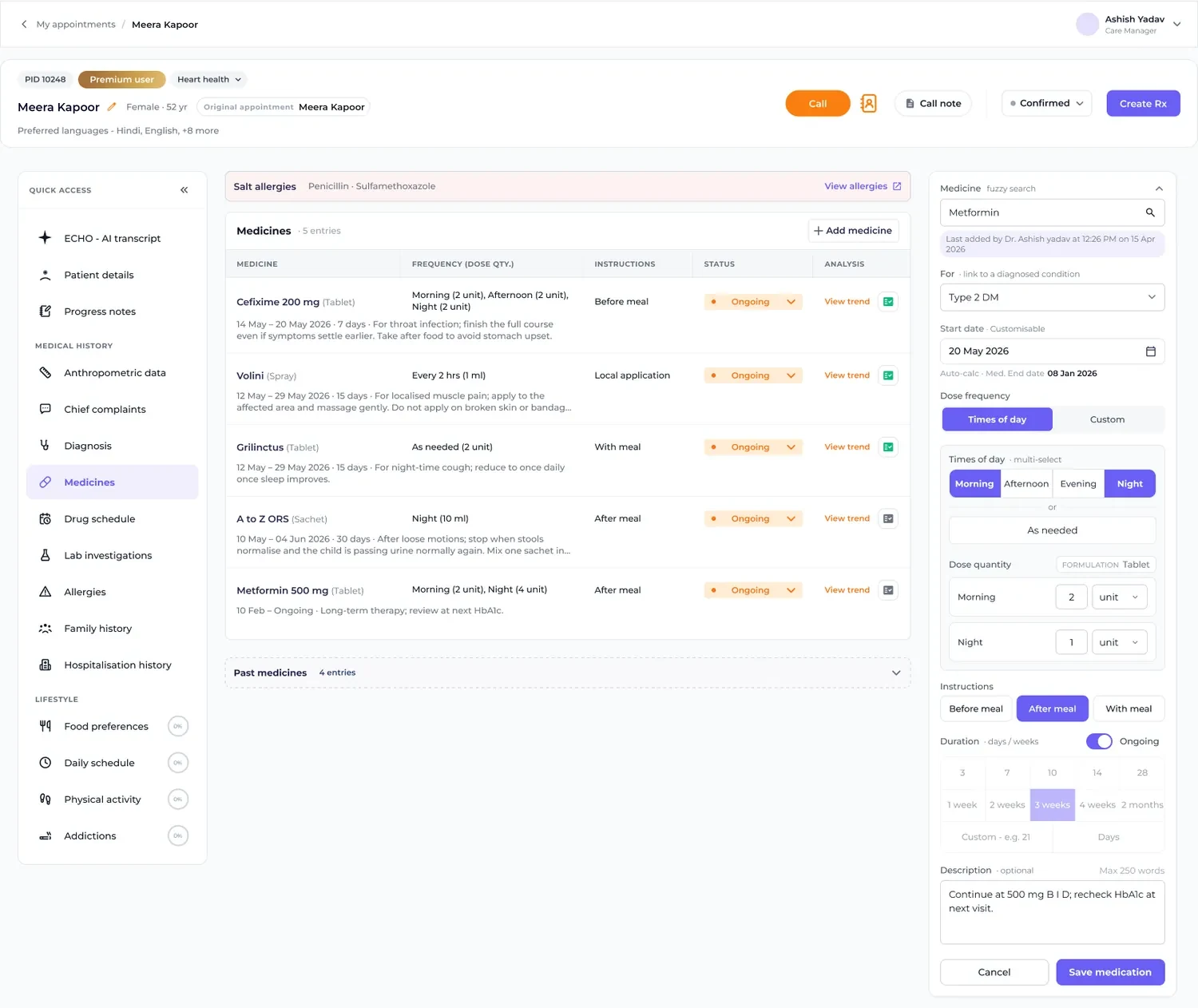
Adding a medicine is the slowest part of a prescription. The editor covers the four ways a dose is given (at times of day, every few hours, on a custom pattern, or only when needed) and works out the end date from the start date and duration.
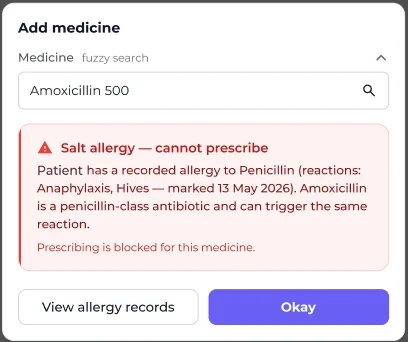
Searching a medicine the patient is allergic to stops the prescription and says why, in one sentence, with a way to open the allergy record.
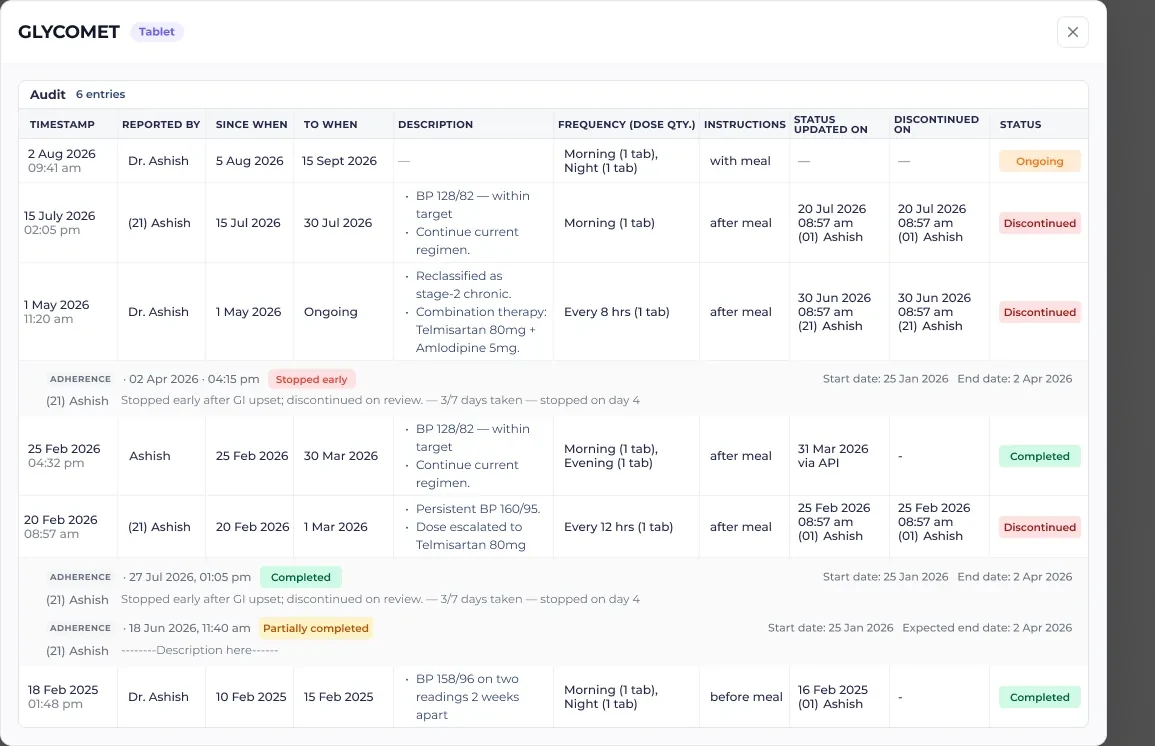
Changing a dose or stopping a course asks when and why. The history view lays those changes out in order.
Ongoing, Completed and Discontinued. Finished courses move to Past medicines so the active list stays short.
Sign: build the prescription beside its preview.
The last step is a checklist on the left and the real document on the right. Tick what belongs on this prescription and the preview updates. Anything added or changed today is tagged so it is easy to spot.
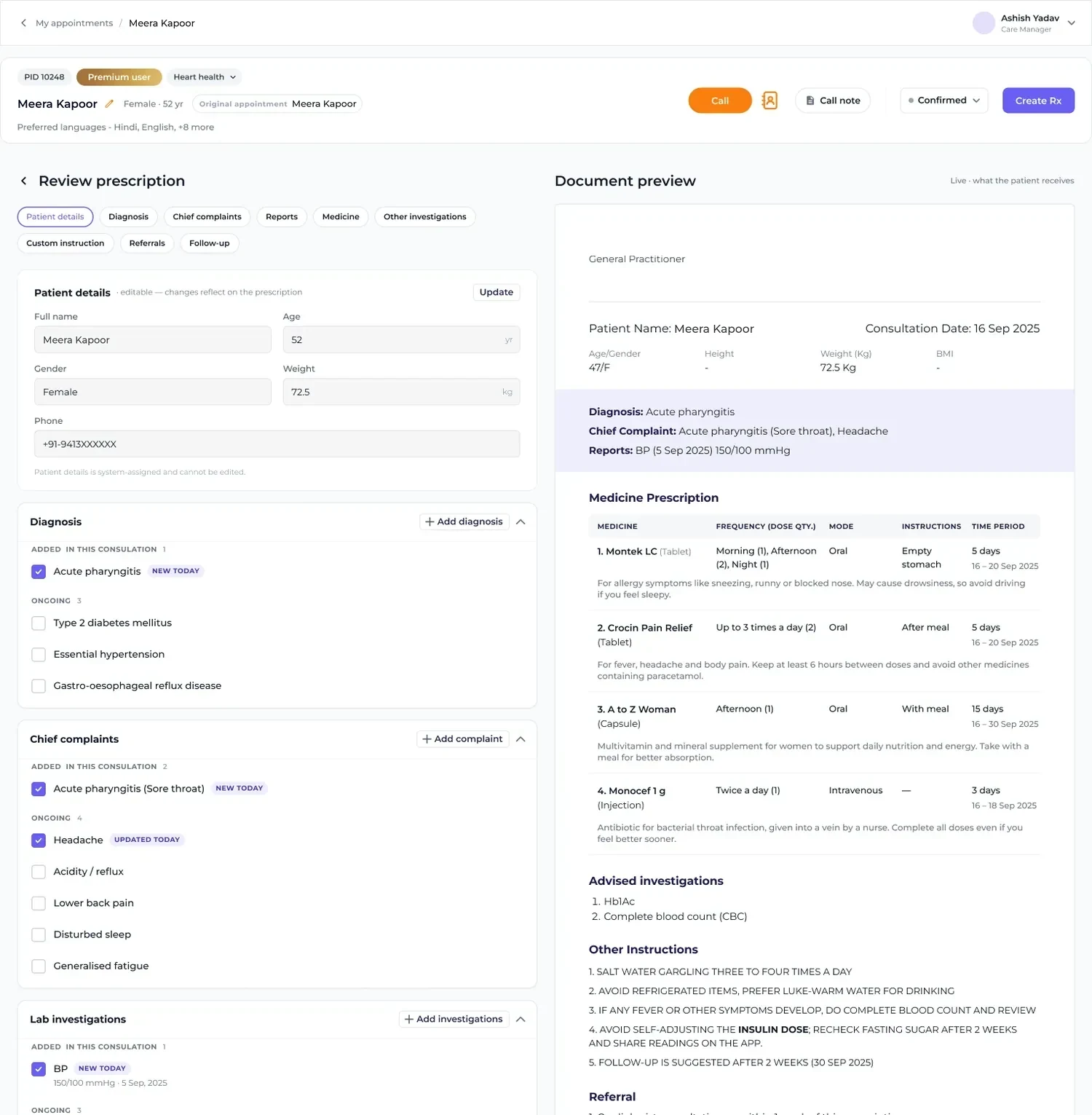
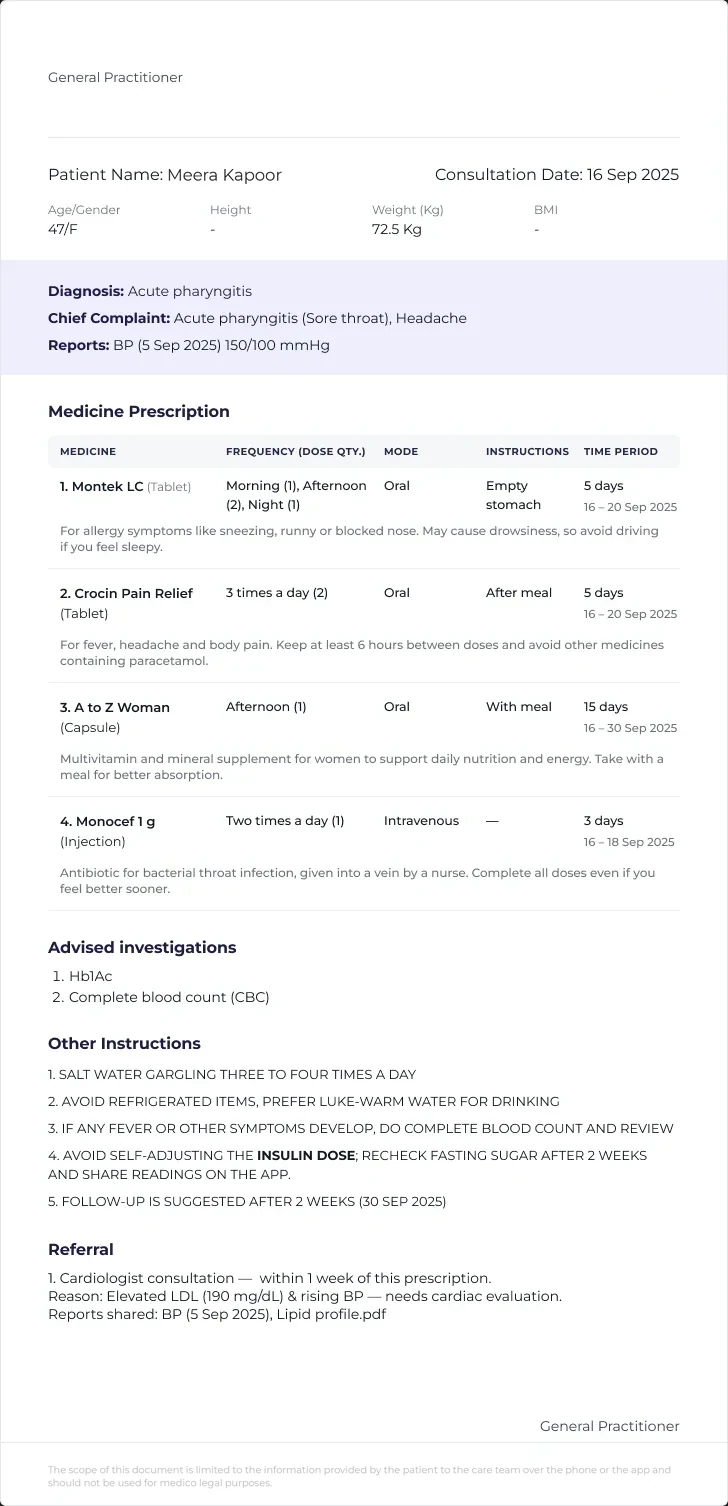
What sits on the right is the layout the patient receives, not an approximation of it.
Choose "2 weeks" and the date is calculated from the prescription date.
A referral goes out with why it is needed and which reports are shared, so the next doctor does not start from zero.
One pass from the call to the prescription.
The consultation starts from the appointment, with the patient's record already open.
ECHO highlights what it hears and adds it to the right section.
The care team keeps, edits or rejects each new entry, section by section.
Medicines, investigations, instructions, referral and follow-up are chosen beside a live preview.
Everything saved stays in the patient's history, dated and attributed.
Where it stands.
The flow is designed end to end and handed to engineering. The target is to bring the time to write a prescription from about 15 minutes toward 5–7, by moving the work from typing to checking.
What I would measure next: how many AI entries are kept without edits, which sections get corrected most, and whether the review step is ever skipped.